03
Banco Daycoval
Banking app redesign
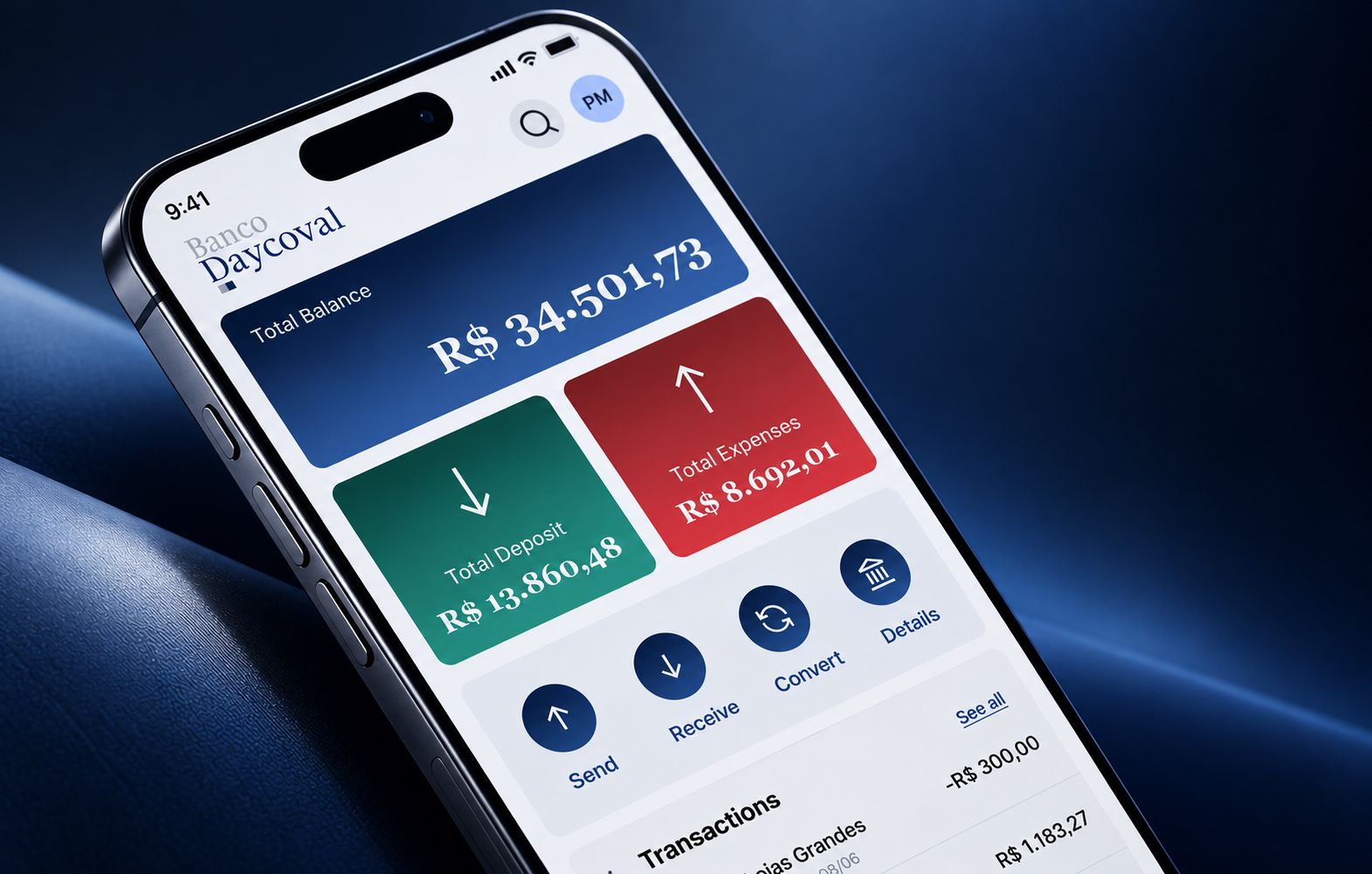
A redesign of Banco Daycoval's mobile banking experience focused on simplifying the user journey, improving financial comprehension, and making everyday banking feel more modern and intuitive.
Context and challenge
The existing app made important financial tasks harder than they needed to be. Information was fragmented across screens, core actions required too many steps, and technical language created uncertainty at moments that demanded confidence.
The challenge was to redesign the experience without losing the sense of security expected from a banking product: make the app easier to navigate, help people understand their financial situation, and create a more contemporary foundation for future features.
Approach and process
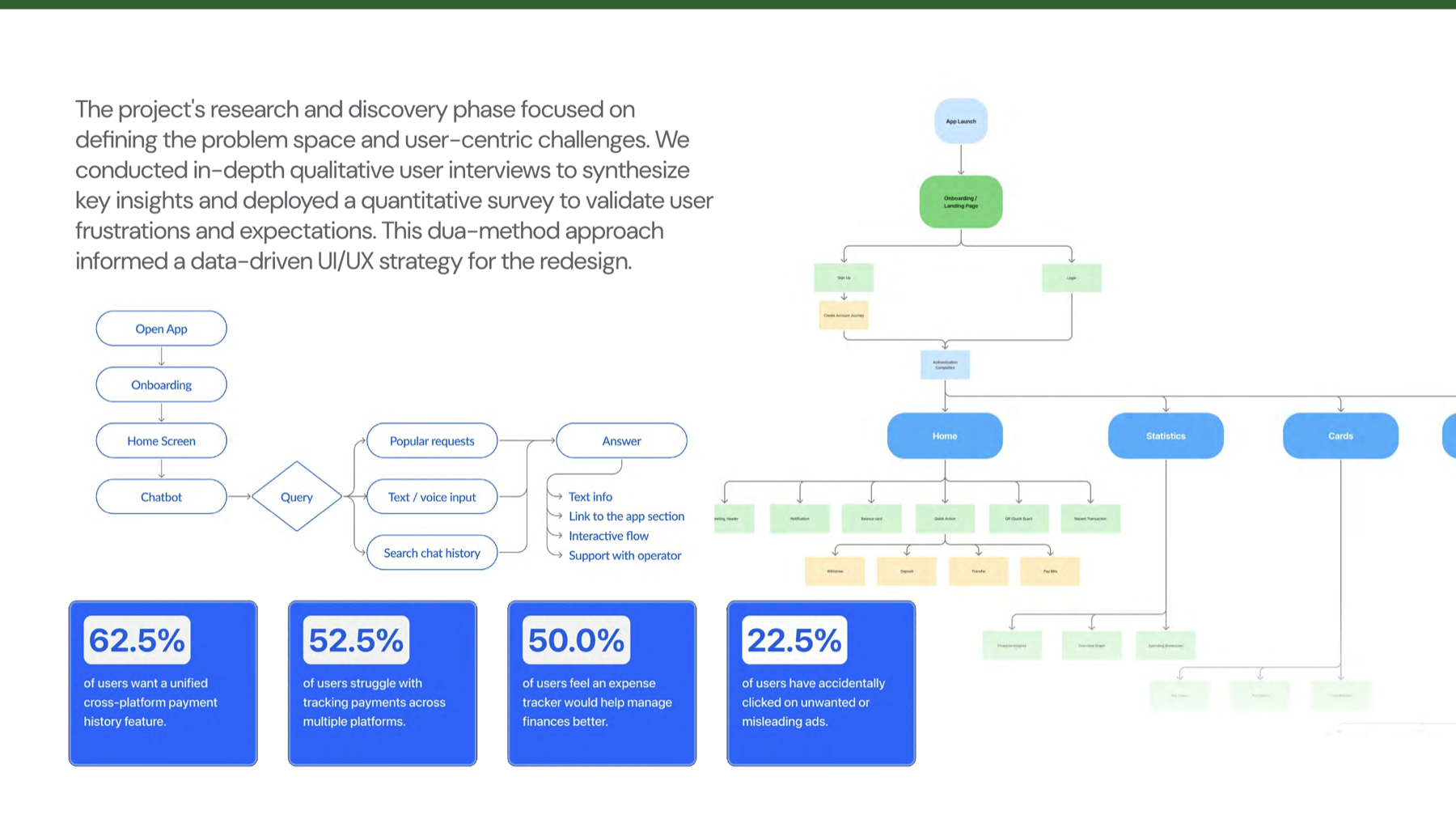
The discovery phase combined qualitative and quantitative methods: user interviews and surveys, task analysis of transfers, account management and investments, and benchmarking against competitor banking apps and financial chatbots.
The findings were organized into a journey from Discover to Define, Customize, Track, and Reflect. This made the gaps visible beyond individual screens: users needed guidance for complex tasks, faster access to information, more natural interactions, proactive feedback, and a simple way to understand progress.
Key design decisions
The redesign centered the experience around a more useful home dashboard, clear financial summaries, and direct access to core actions. Navigation was simplified so the most important tasks could be completed with fewer decisions and less cognitive load.
The interface also introduced space for conversational support and more contextual guidance. Instead of forcing people through rigid forms, the product could help them find the right path while keeping control, privacy, and transparency visible throughout the journey.
Final experience and visuals
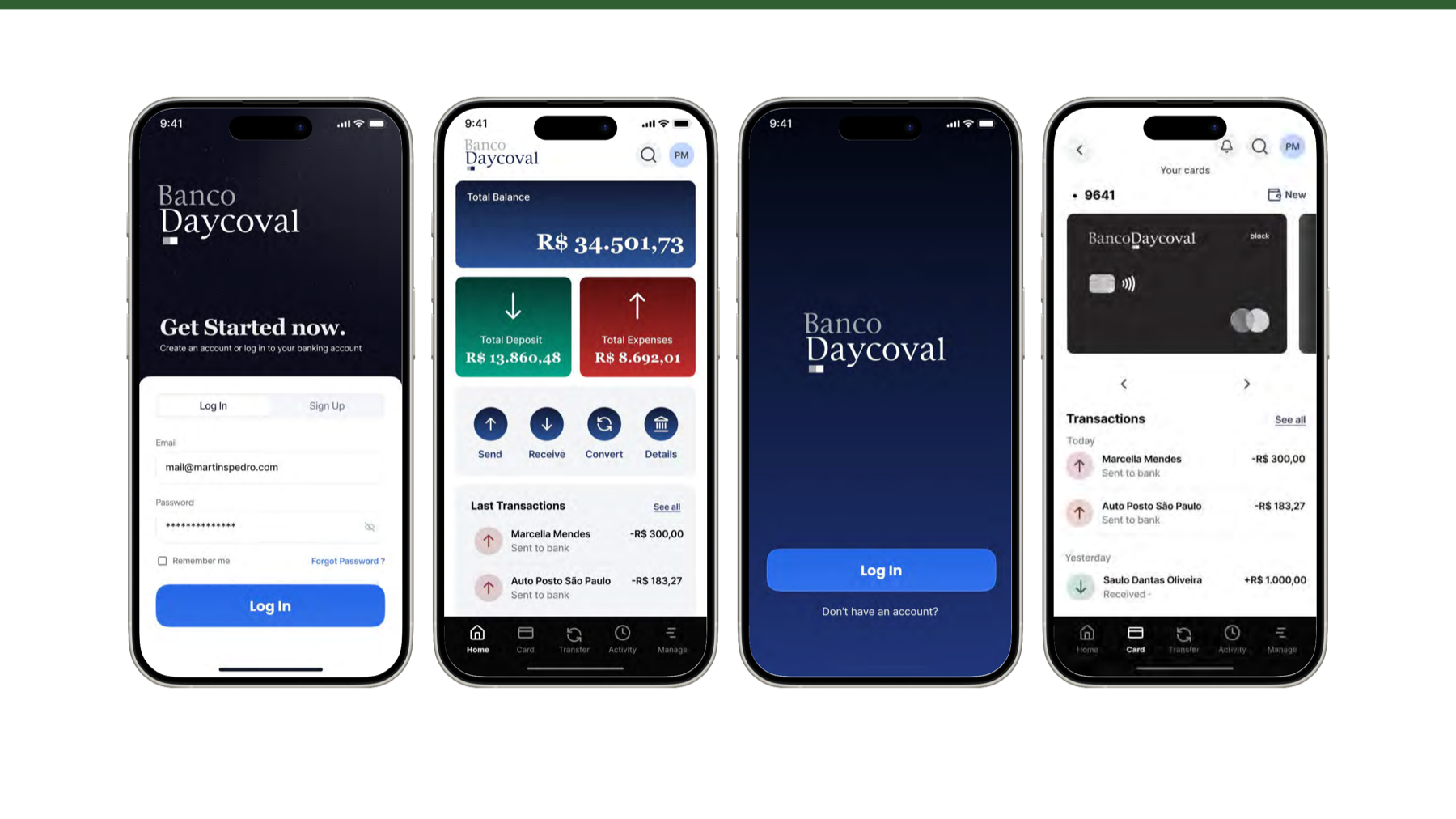
The visual direction balances a confident banking palette with a lighter, more approachable interface. Large balance and activity blocks establish hierarchy at a glance, while compact action patterns make transfers, cards, and account management easier to reach.
The final screens connect onboarding, the home dashboard, cards, transactions, and guided support into one coherent system rather than a collection of disconnected banking features.
Outcomes and learnings
reduction in task completion time for key banking actions
increase in user engagement measured through DAU/MAU
screens in the new minimum path, down from 8
The redesign reduced task completion time by 35% and increased user engagement by 25% measured through DAU/MAU. The minimum path for a core task was reduced from 8 screens to 3, creating a measurable improvement in the new user journey.
These results supported a clearer product direction: fewer barriers at the entry point, faster access to essential actions, and a banking experience that helps people act with more confidence.